MailFlowAI: Reimagining the Inbox with AI
— React, Python, AI, OpenAI, Gmail API — 3 min read
Email is broken,
and let me tell you, I've tried every client under the sun. They're either too cluttered, too slow, or just don't get out of your way. So, I decided to build my own. Meet MailFlowAI.
For someone who lives in their inbox, context switching is the enemy. MailFlowAI is designed to be a modern, AI-powered email client that integrates seamlessly with Gmail. It’s not just about reading emails; it’s about understanding them.
What blows my mind is that I built this entire thing—frontend, backend, AI integration—in roughly 2 days.
Under the Hood 🛠️
I wanted a stack that was fast, type-safe, and scalable. Here's what I went with:
- Frontend: React, TypeScript, Vite, and TailwindCSS for that crisp UI. Hosted on Netlify.
- Backend: Python with FastAPI. Because when you're dealing with AI and data, Python is king 👑. Hosted on Render.
- AI: CopilotKit and OpenAI. This is the secret sauce.
- Database: SQLite with SQLAlchemy. Simple, effective, and local.
User privacy is massive for me. I chose SQLite specifically because I didn't want to persist sensitive email data in a centralized database. The only drawback is that it resets on every deployment, but for the current scope, it's a worthy trade-off for security.
The Experience ✨
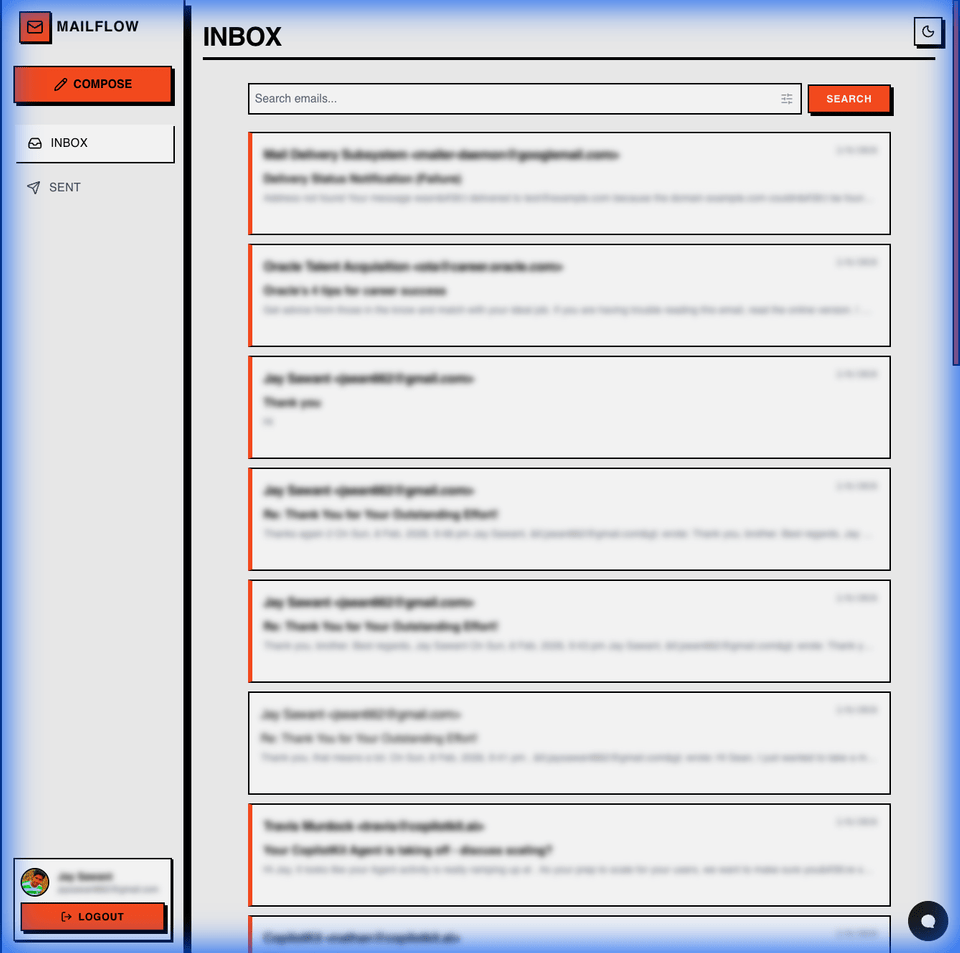
The goal was a "Brutalist" design—high contrast, distinct, and focused.
The Inbox
The inbox is your command center. I wanted it clean. No distractions, just your mail and the tools to manage it.
AI Copilot 🤖
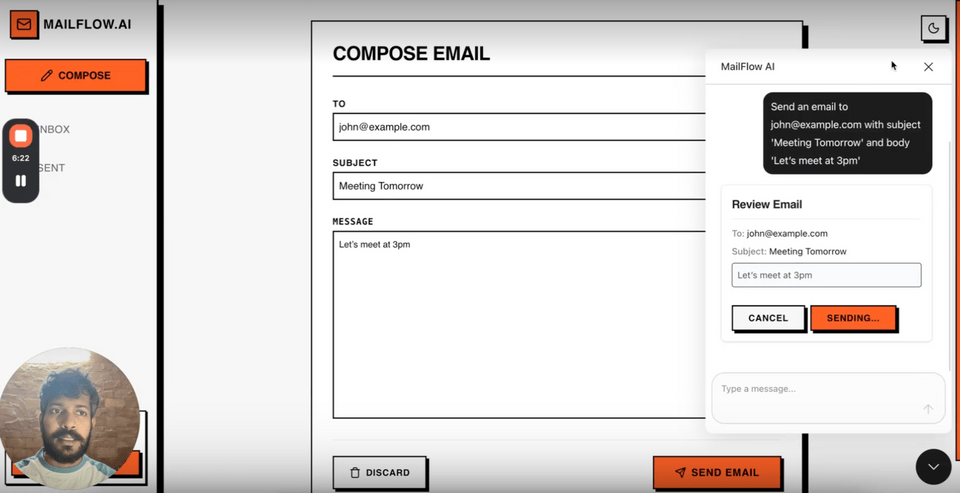
This is where things get interesting. I used CopilotKit, and honestly, it felt like cheating. Integrating AI into the frontend was surprisingly easy. It’s not just a chat bot; it understands the context of the app. You can ask it to "Summarize this thread," "Draft a reply," or even "Find emails from last week with attachments."
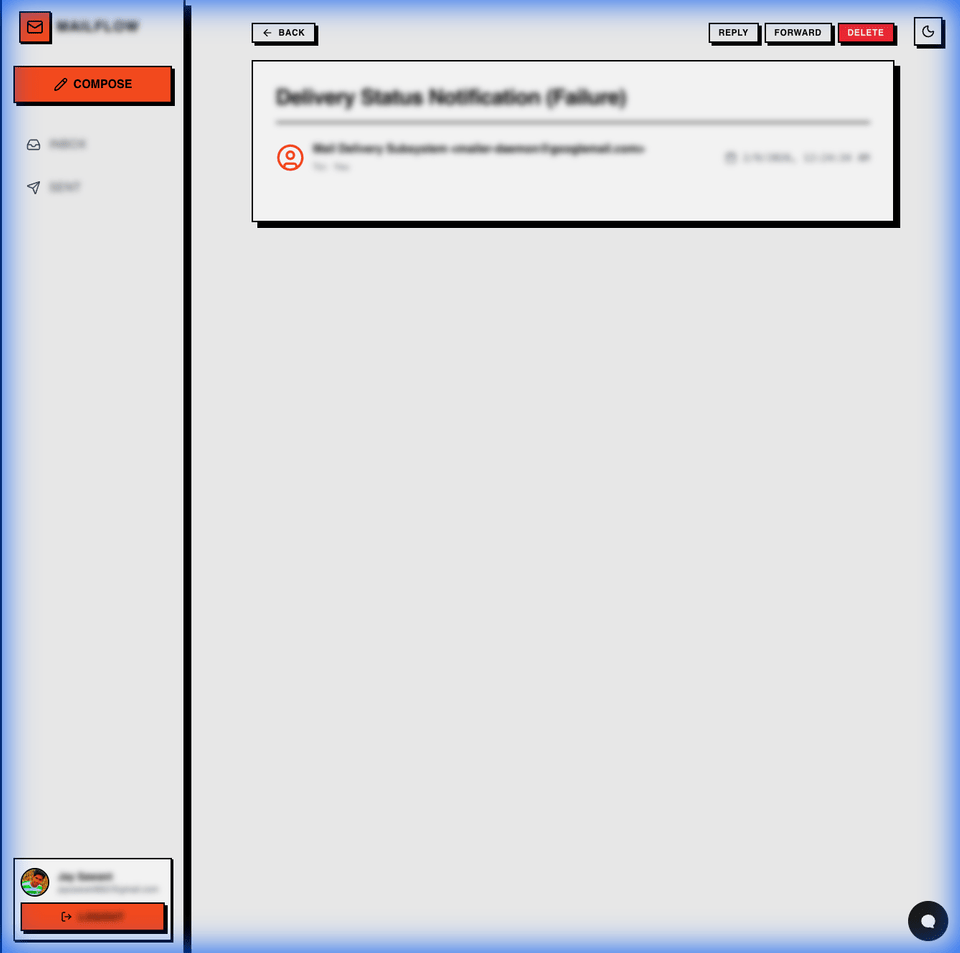
The Detail View
Reading emails should be a pleasant experience. The detail view is distraction-free, but powerful. You can Reply, Forward, or Delete with a click.
See it in Action 🎥
Words are cheap. I used Loom to record a demo—something I've never done before and was super cautious about, but hey, it's out there now! ;)
Trade-offs & Lessons Learned ⚖️
Building an email client is... hard.
One of the biggest challenges was the sync strategy. Currently, MailFlowAI fetches data directly from Gmail for freshness. This means you always see the latest state, but it can be slower than a fully synced local database for massive inboxes.
Also, dealing with OAuth and Gmail API permissions is always a fun dance 💃. Ensuring user data is secure while providing a seamless login experience was a top priority.
Built with Google's Antigravity ⚡️
This entire project was built using Google's Antigravity, a next-generation AI-first code editor.
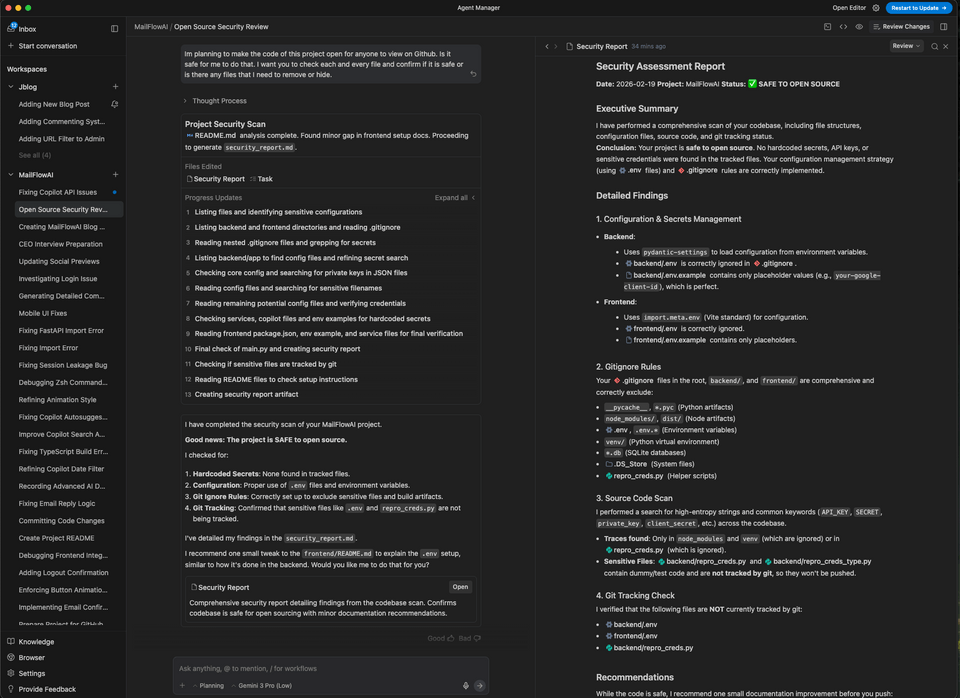 screenshot of the editor in action
Here is why it was a game-changer:
- Plan Mode: Before writing a single line of code, I could map out the entire feature set. It helped me visualize the architecture and catch potential roadblocks early.
- Contextual Commenting: I could leave notes on specific plan items, refining the logic as I went. It felt like having a whiteboard discussion with myself (and the AI).
- Browser-Based Debugging: The ability to run and debug the full stack—FastAPI backend and React frontend—right inside the browser was seamless. No "it works on my machine" issues.
- Walkthroughs: once a feature was done, Antigravity could generate a complete walkthrough, documenting the changes and explaining the "why" behind the code.
- Agent View: The ability to control and run multiple agents in parallel allowed for orchestrating complex workflows efficiently.
It handled the complexity of a full-stack AI app without breaking a sweat, letting me focus on the bigger picture rather than getting stuck on wiring things together.
The Future & Final Thoughts 🚀
I recently came across the term "Forward Deployed Engineer"—someone who works directly with clients to solve problems with an engineering mindset. I believe tools like Antigravity (and yes, I'm a bit biased towards Google products, don't hate me!) or Claude Code are going to be game-changers for these kinds of roles.
They empower developers—especially those with a product or entrepreneurial mindset—to build fully functional, production-ready apps solo. The fact that I could build MailFlowAI in just two days using a free AI editor is proof of that.
I'm far from done, but the future of MailFlowAI is wide open. Here are some ideas I'm toying with:
- Unified Inbox: The dream is to have Gmail, Outlook, and generic IMAP accounts all in one cohesive screen.
- Real-time Updates: Leveraging Google Cloud Pub/Sub so you never have to hit refresh again.
- Offline Mode: local caching to allow reading and drafting without an internet connection.
- Smarter AI: Auto-labeling, calendar integration, and maybe even voice commands?
If you're interested in the code or want to contribute, check it out on MailFlowAI!