Adding Comments to My Gatsby Blog: The Giscus Journey
— Gatsby, React, Giscus, Web Development — 1 min read
So, I decided it was finally time to let you all speak your minds on my blog. A dangerous move? Maybe. But hey, engagement is engagement, right? 😉
I embarked on a quest to find the perfect commenting system. My criteria were simple, or so I thought:
- Fast: No one likes a slow website.
- Free: Need I say more?
- Ad-Free: I'm not here to sell you insurance.
The Contenders
1. Disqus: The Old Giant
Everyone knows Disqus. It's the "easy" button of commenting systems.
- Pros: Supports anonymous guest comments. Easy to set up.
- Cons: The free plan comes with ads. Lots of ads. And tracking scripts that weigh down the site like a brick.
- Verdict: Hard pass. I want my blog to be a sanctuary, not a billboard.
2. Self-Hosted (Remark42, Commento)
Cool tech, privacy-focused, and open source.
- Pros: Full control, no ads, supports anonymity.
- Cons: "Self-hosted" is code for "you now have a server to manage/pay for." I wanted a static site, remember?
- Verdict: Too much maintenance. I'm lazy.
3. Giscus: The Hero We Needed
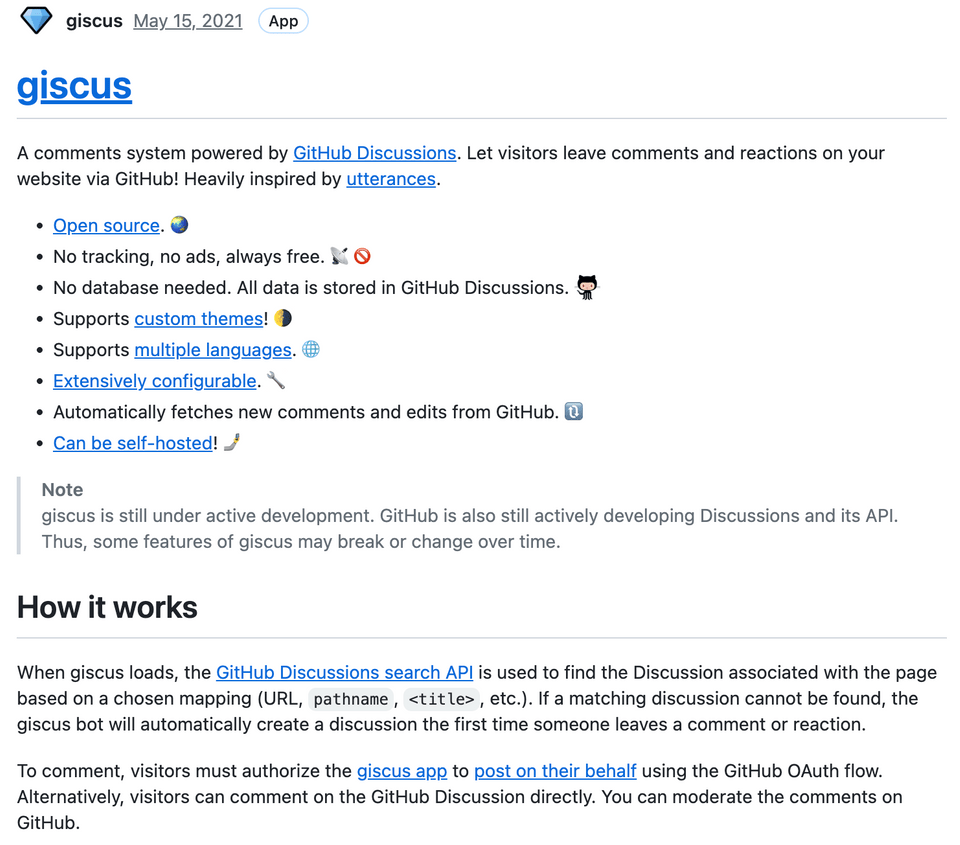 Enter Giscus. It uses GitHub Discussions to store comments.
- Pros: 100% Free. Open Source. No ads. No tracking. Blazing fast.
- Cons: You must log in with GitHub to comment.
- Verdict: We have a winner! 🏆
Implementation: The Shadow Realm
Since I'm using the @lekoarts/gatsby-theme-minimal-blog, I had to use a Gatsby superpower called Component Shadowing. Basically, I hijacked the theme's post.tsx file and injected my own code.
We encountered a fun issue where the @giscus/react package hated my older Gatsby version. The solution? We built our own Giscus component from scratch that injects the script tag manually. Modern problems require retro solutions.
Here's the snippet that makes the magic happen:
1// src/components/Giscus.tsx2useEffect(() => {3 const script = document.createElement('script')4 script.src = 'https://giscus.app/client.js'5 script.setAttribute('data-repo', "jsean662/JBLOG-COMMENTS")6 script.setAttribute('data-mapping', "pathname")7 script.setAttribute('data-theme', theme) // Allows dynamic dark mode!8 // ... helper attributes9 ref.current.appendChild(script)10}, [])And just like that, we have comments! 👇
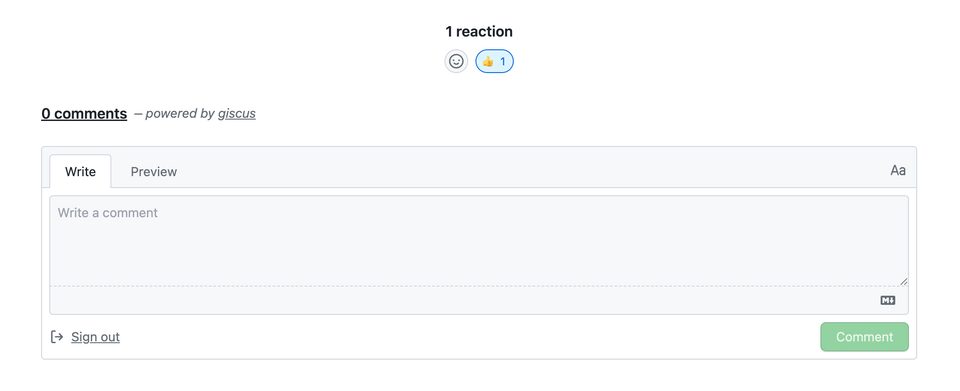
One little detail: You do need a GitHub account to comment. We might explore anonymous commenting in the future if we can find a spam-free way to do it, but for now, we're keeping it simple and high-quality.
Feel free to test it out below. Let me know what you think of the new setup (you literally can now).
Cheers! 🍻